Convert your music library and playlists between music services
Fast, accurate music converter that preserve your playlists exactly as you remember them

Transferring your music from Apple Music to Spotify
This might take a few minutes

Processed: 2,602 of 14,421 tracks
Your content is ready to transfer!
Works with all music platforms



Official Music Transfer Solution of the Biggest Brands in the Music Industry
Tune My Music partnered with the Biggest Brands in the Music Industry such as Spotify, YouTube Music, Amazon Music, TIDAL and more.
Tune My Music partnered with the Biggest Brands in the Music Industry such as Spotify, YouTube Music, Amazon Music, TIDAL and more.
How does the transfer work?
Tune My Music reads your playlist data - titles, artists, albums, and unique identifiers like ISRC - then uses advanced matching algorithms to locate and recreate every track on the destination platform.
- 1Connect Music Platforms

Link your source and destination accounts, and authorize Tune My Music.
- 2Select music to transfer

We support your favorite songs, artists, albums and your curated playlists
- 3Done!

Your playlists and music will be automatically transferred to your destination account
This process takes seconds for small playlists and minutes for large music libraries. Thanks to our smart matching algorithms, direct integrations with music services, and continuous updates, Tune My Music goes beyond simple search to accurately match tracks by title, artist, album and ISRC.
Key Features
We Never Delete
Tune My Music transfer cannot delete or modify songs on any connected platform.
Multiple Transfer Options
Transfer from another platform, a shared playlist URL, a file upload (Supported formats: TXT, CSV, M3U, M3U8, PLS, WPL, XSPF and XML), or even from free text.
Playlist Control
Choose to create a new playlist or add songs to an existing one on the destination platform.
Full Transfer Report
Automatically generate a downloadable CSV file listing any unmatched tracks so you can review and resolve them easily.
Daily Auto-Sync
Tune My Music automatically synchronises your playlists between two platforms.
Expert Support Team
Our support team will help you resolve any transfer issue. Get real, personal help right away.
Smart & Accurate Matching
Every track is matched using title, artist, album and ISRC to ensure the closest possible version is transferred.
Handles Remixes, Live Versions & Edits
Tune My Music intelligently detects remixes, live recordings and alternate releases.
Playlist Order Preserved
Your playlists are transferred in the exact same order, so the listening experience stays exactly the same.
No Duplicates, No clutter
Smart filtering prevents duplicate tracks, keeping your library clean and organized after the transfer.
"When you DJ, you want to feel like you’re in a record store, with all your music there"
Markus Hart - Professional D.J

Advanced Features for D.J’s and Pros
For power users who need accuracy, scale and daily reliability, Tune My Music is the tool they depend on.

Tune My Music is known for its simple, intuitive experience, perfect for anyone who wants to transfer their playlists with ease. But behind that simplicity is a powerful engine trusted by professionals: DJs, curators, collectors and anyone managing massive music libraries across multiple platforms, with a wide range of customization options to fit different transfer needs.


Secure and Seamless Playlist Transfers
Tune My Music is the worlds most trusted and secure playlist migration service. As the official partner for industry giants like Spotify, TIDAL, and YouTube Music, we provide a professional-grade experience that is simple enough for anyone to use. We treat your music library with the highest level of care, ensuring your transition between services is seamless and 100% private.

Official Partnerships Require High Standards
To serve as the authorized transfer solution for the world's biggest streaming brands such as Spotify and YouTube Music, we must pass the same strict security audits and privacy benchmarks that these global companies follow.
Zero-Knowledge Authentication
Use official OAuth login to connect your accounts. Your passwords never pass through our system—you log in directly with the music service.
Cancel Anytime
Full transparency and control over your data. You can revoke our access to your accounts at any time with a single click.
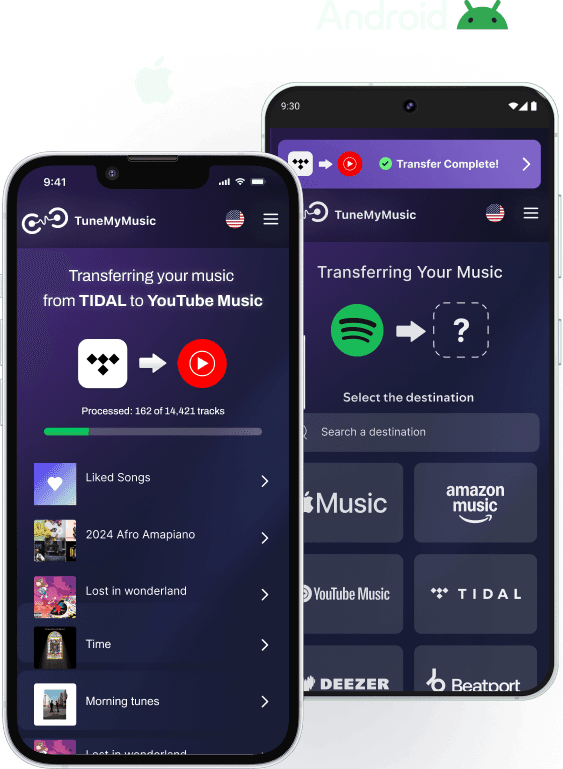
The Full Mobile Experience. No App Required
Background Processing
Tune My Music is fully optimized for your mobile browser. Our cloud-native technology does the heavy lifting so your phone doesn't have to.
Zero Battery Drain
All processing happens on our end, keeping your phone cool and your battery full.
Save Your Storage
Get a premium experience without wasting space on another app download.
Always Ready
No updates or installations - just instant, responsive access on any iOS or Android device.
Which music platforms does the converter support?
Does the converter work with liked songs and albums, or just playlists?
What file formats does the converter support?
Can I convert private or collaborative playlists?
Ready to Start Transferring Your Playlists?