
Utilizza API ufficiali e pratiche di sicurezza dei dati
Organizzatore di playlist per ogni piattaforma musicale
Vi siete mai chiesti "come eliminare una playlist su Spotify" o avete cercato un programma per rimuovere i duplicati su Spotify? Bene, siete fortunati! Abbiamo creato l'organizzatore di playlist perfetto che funziona su qualsiasi piattaforma musicale, non solo su Spotify!
Organizzare le playlist non è mai stato così facile
Assumi il pieno controllo delle tue playlist con azioni di massa, raggruppamenti per data di aggiunta e un solo clic per smettere di seguire o eliminare. È uno strumento semplice che fa il suo dovere.
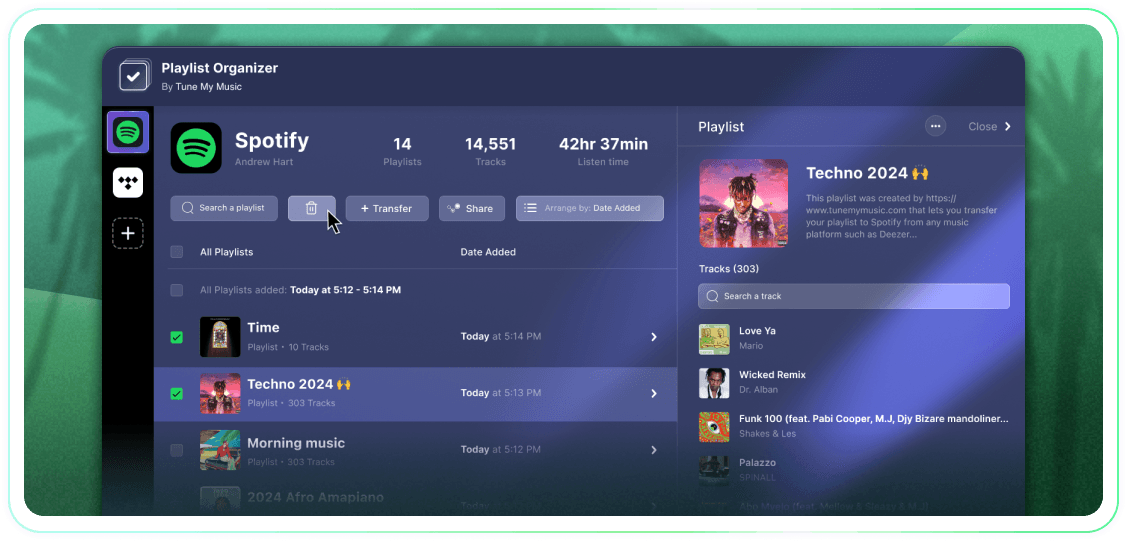
Tune My Music è La soluzione ufficiale per il trasferimento di musica, scelta dai più grandi marchi del settore.
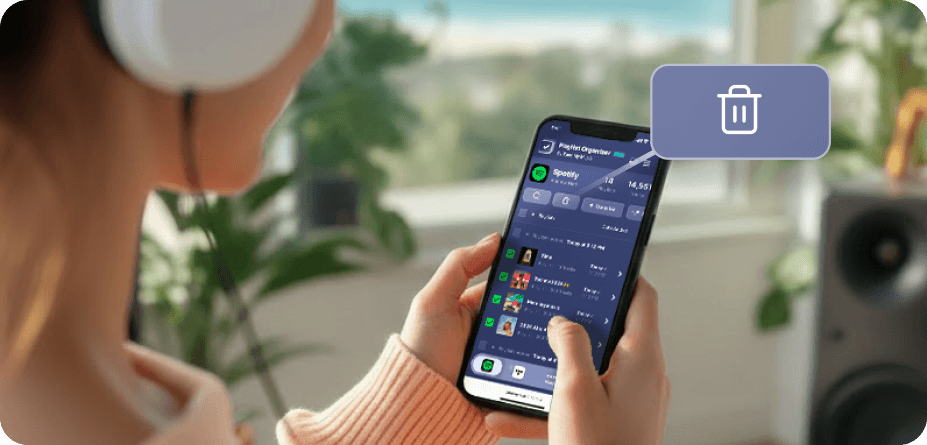
Come eliminare una playlist di Spotify?
Su Spotify (e molte altre piattaforme), non ci sono pulsanti nativi per la selezione e la cancellazione in massa.Quindi, quando devi eliminare più di una playlist, scoprirai che richiede un'eternità e sembra molto più difficile di quanto dovrebbe.Ecco perché abbiamo creato l'Organizzatore di Playlist.Ora puoi selezionare quante più playlist desideri e eliminarle tutte con un clic, da qualsiasi dispositivo - desktop o mobile.
Come posso rimuovere più di una playlist alla volta?
Utilizza l'Organizzatore di Playlist per semplificare il processo.Inizia a sfogliare la tua collezione e seleziona il numero di playlist che desideri rimuovere cliccando sulle caselle di controllo accanto a esse.Una volta effettuata la selezione, clicca sul pulsante di eliminazione - e hai finito.Questo ti consente di gestire e ripulire il tuo account Spotify senza sforzo, indipendentemente da quante playlist desideri rimuovere contemporaneamente.
Che fine fa una playlist che smetto di seguire?
Quando rimuovi una playlist tramite l'Organizzatore di Playlist di Tune My Music, il nostro strumento utilizza l'API di Spotify per "non seguire" la playlist dal tuo account.Questo elimina immediatamente la playlist dalla tua libreria e dalla barra laterale del profilo, anche se rimane sui server di Spotify.Questo approccio garantisce che la tua eliminazione sia non distruttiva: i follower non perderanno accesso e potrai ripristinare completamente la playlist in seguito attraverso la pagina "Recupera Playlist" di Spotify o utilizzando il suo link diretto.Si prega di notare che mentre non segui, perdi la possibilità di modificare i brani o il titolo della playlist fino a quando non la segui di nuovo.
Organizzatore di playlist
Di Tune My Music