
공식 API를 사용하고 안전한 데이터 처리 방식을 채택합니다.
모든 음악 플랫폼을 위한 플레이리스트 관리 앱
"스포티파이에서 플레이리스트를 삭제하는 방법"이나 "스포티파이 중복 제거 도구"를 찾고 계셨나요? 이제 걱정하지 마세요! 모든 음악 플랫폼(스포티파이뿐 아니라)에서 사용할 수 있는 완벽한 플레이리스트 관리 도구를 개발했습니다!
플레이리스트 정리가 이렇게 쉬웠던 적은 없었습니다.
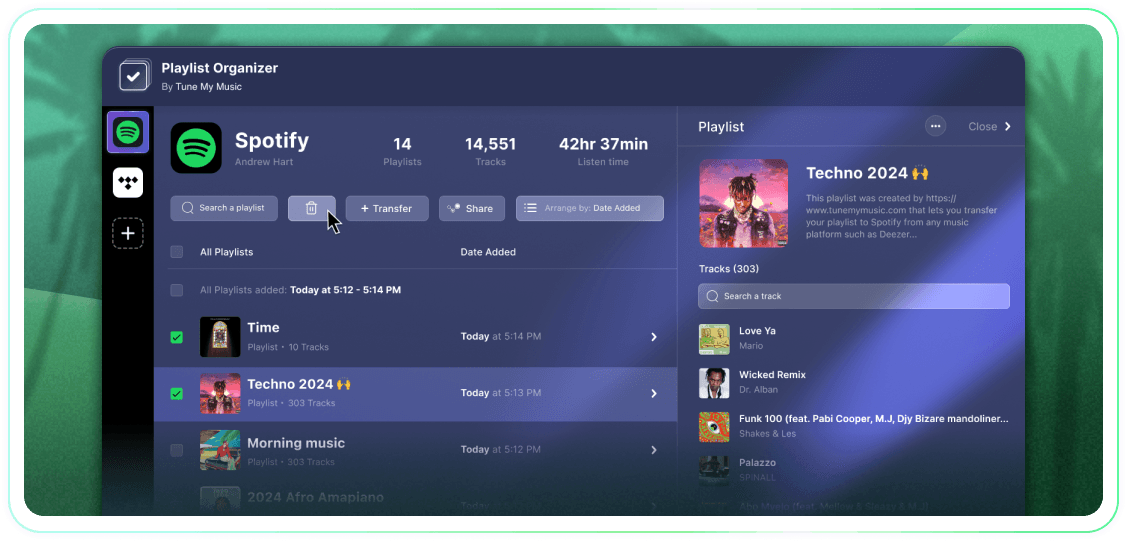
일괄 작업, 추가 날짜별 그룹화, 원클릭 언팔로우 또는 삭제 기능으로 재생 목록을 완벽하게 관리하세요. 간단하지만 효과적인 도구입니다.
Tune My Music은 업계 최대 브랜드들이 신뢰하는 공식 음악 전송 솔루션입니다.
Spotify 플레이리스트를 삭제하는 방법은 무엇인가요?
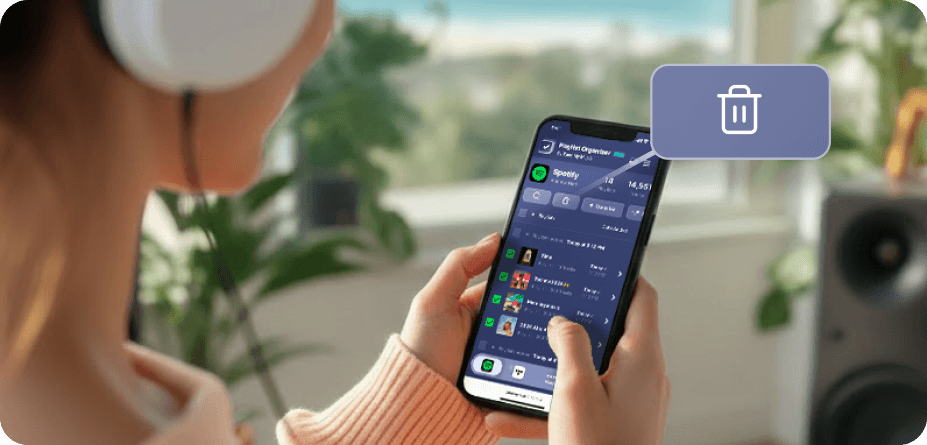
Spotify(및 기타 많은 플랫폼)에서는 기본 일괄 선택 및 삭제 버튼이 없습니다.하나 이상의 플레이리스트를 삭제해야 할 때 시간이 오래 걸리고 생각보다 더 어려운 느낌이 듭니다.그래서 플레이리스트 정리기를 만들었습니다.이제 원하는 만큼의 재생목록을 선택하고 모든 장치에서 클릭 한 번으로 모두 삭제할 수 있습니다 - 데스크톱 또는 모바일에서.
한 번에 여러 개의 플레이리스트를 삭제하려면 어떻게 해야 하나요?
플레이리스트 정리기를 사용하여 프로세스를 간소화하세요.컬렉션을 탐색하고 제거하고 싶은 분량의 플레이리스트를 선택하려면 옆의 체크박스를 클릭하세요.선택을 완료한 후 삭제 버튼을 클릭하면 완료됩니다.이 기능을 통해 한 번에 몇 개의 플레이리스트를 제거하든 간편하게 Spotify 계정을 관리하고 정리할 수 있습니다.
팔로우를 취소한 플레이리스트는 어떻게 되나요?
Tune My Music 플레이리스트 정리기를 통해 플레이리스트를 제거하면, 우리 도구는 Spotify API를 사용하여 계정에서 "언팔로우"합니다.이렇게 하면 플레이리스트가 라이브러리와 프로필 사이드바에서 즉시 삭제되지만 Spotify 서버에는 남아 있습니다.이 방법은 삭제가 비파괴적이라는 것을 보장합니다. 팔로워는 접근 권한을 잃지 않으며, 나중에 Spotify "플레이리스트 복구" 페이지를 통해 플레이리스트를 완전히 복원할 수 있습니다.언팔로우 상태일 때는 플레이리스트의 트랙이나 제목을 편집할 수 없음을 유의해 주세요. 다시 팔로우할 때까지 편집할 수 없습니다.