
Korzysta z oficjalnych interfejsów API i bezpiecznych praktyk dotyczących danych
Organizator playlist dla każdej platformy muzycznej
Zastanawiałeś się kiedyś „jak usunąć playlistę na Spotify” lub szukałeś narzędzia do usuwania duplikatów w Spotify? Masz szczęście! Stworzyliśmy idealny organizer playlist, który działa na każdej platformie muzycznej, nie tylko na Spotify!
Organizowanie list odtwarzania nigdy nie było łatwiejsze
Przejmij pełną kontrolę nad swoimi playlistami dzięki zbiorczym akcjom, grupowaniu według daty dodania i możliwości usunięcia lub zaprzestania obserwowania jednym kliknięciem. To proste narzędzie, które spełnia swoje zadanie.
Tune My Music to oficjalne rozwiązanie do przesyłania muzyki, któremu zaufały największe marki w branży
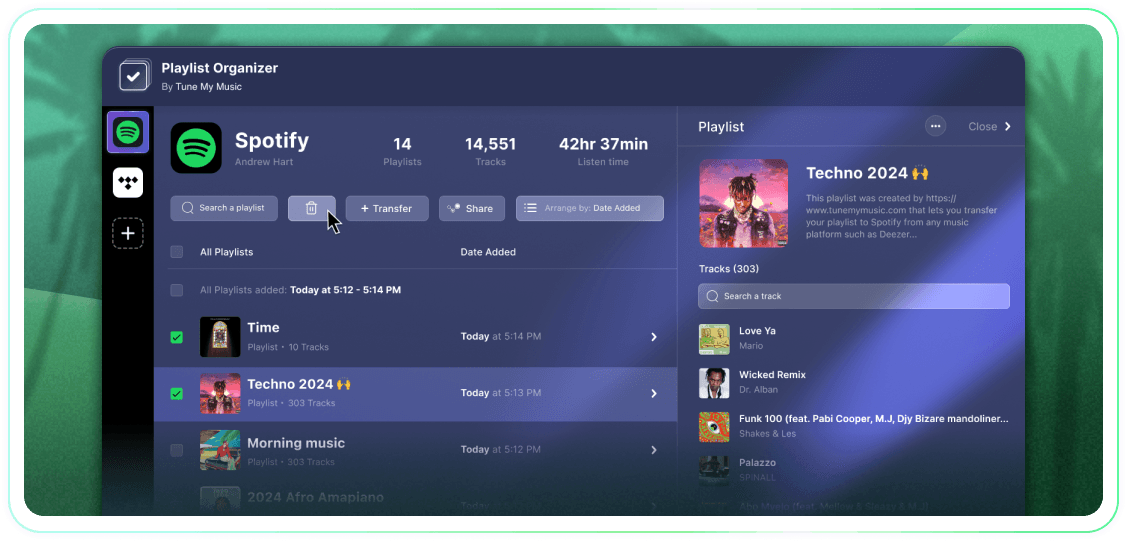
Jak usunąć playlistę Spotify?
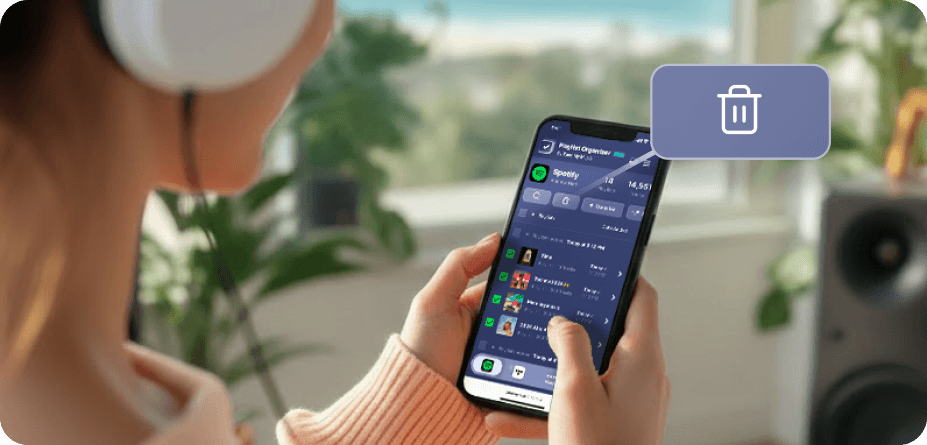
Na Spotify (i wielu innych platformach) nie ma natywnych przycisków do masowego zaznaczania i usuwania.Dlatego, gdy musisz usunąć więcej niż jedną playlistę, odkryjesz, że trwa to wieczność i jest znacznie trudniejsze, niż powinno być.Dlatego stworzyliśmy Organizator playlist.Teraz możesz wybrać tak wiele playlist, jak chcesz, i usunąć je wszystkie jednym kliknięciem z dowolnego urządzenia - stacjonarnego lub mobilnego.
Jak mogę usunąć więcej niż jedną playlistę na raz?
Użyj Organizatora playlist, aby uprościć proces.Zacznij od przeglądania swojej kolekcji i wybierania dowolnej liczby playlist, które chcesz usunąć, klikając pola wyboru obok nich.Gdy dokonasz wyboru, kliknij przycisk usuń - i gotowe.To pozwala ci zarządzać i uporządkować swoje konto Spotify w łatwy sposób, niezależnie od tego, ile playlist chcesz usunąć jednocześnie.
Co się stanie z playlistą, której nie będę już obserwować?
Gdy usuwasz playlistę za pomocą Organizatora playlist Tune My Music, nasze narzędzie używa API Spotify, aby "usunąć z obserwowanych" ją z twojego konta.To natychmiast czyści playlistę z twojej biblioteki i paska bocznego profilu, chociaż pozostaje ona na serwerach Spotify.To podejście zapewnia, że twoje usunięcie jest niezniszczycielskie: obserwujący nie stracą dostępu, a ty możesz w pełni przywrócić playlistę później za pomocą strony Spotify "Odzyskiwanie playlist" lub bezpośredniego linku.Proszę pamiętać, że podczas usunięcia z obserwowanych tracisz możliwość edytowania utworów lub tytułu playlisty, dopóki nie dodasz jej ponownie.
Organizator playlist
Przez Tune My Music